Every booking and boarding pass in one place
Upload it once and everyone who needs it has it — sorted by type, attached to the trip, ready when you're standing at the gate.
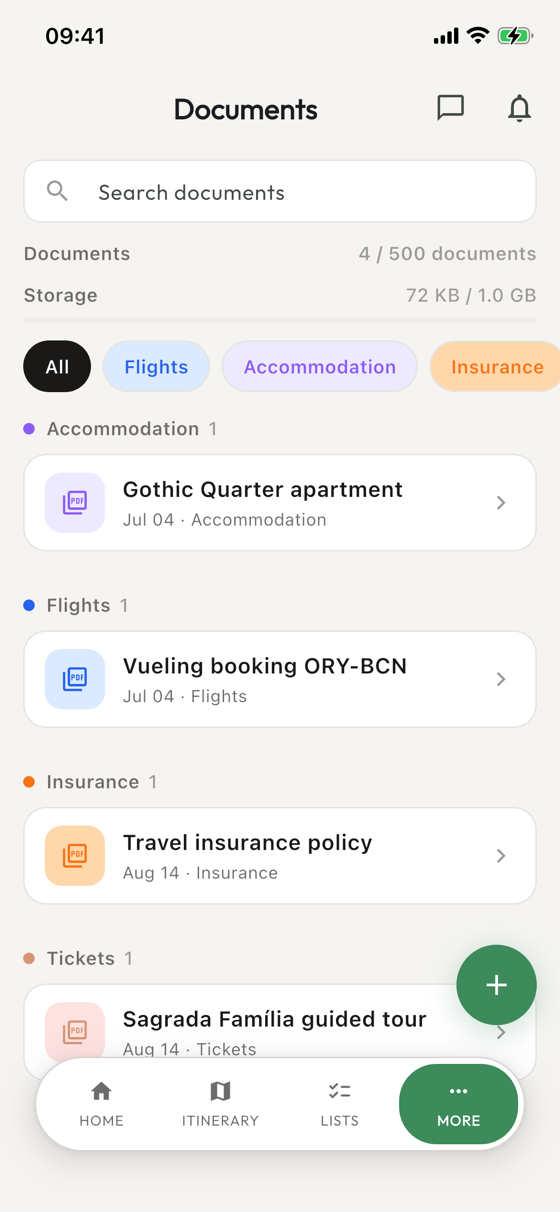
The document is with the trip, not on one phone
Boarding passes, hotel confirmations, rental agreements, insurance, visas — on most group trips they are scattered across six inboxes, and the person holding the one you need right now is in the queue behind you. Giterra stores them with the trip, so anyone who needs a document has it on their own phone.
Upload once, everyone has it
Add a file or a photo of a printout, give it a title, and it is in the trip. Tag it — flight, hotel, insurance, whatever your group calls it — and the list stays scannable when there are twenty of them by the end of the week. Notes go on the document itself, for the confirmation number or the desk you have to ask at.
Not everything is for everyone
Some documents are for the whole group and some are not. Each one can be shared with everyone on the trip or with just the people it concerns, so one couple's insurance policy is not sitting in front of eight other people. New members can be added to a document automatically or left out of it — the default is yours to set.
Attached to the plan it belongs to
A document is most useful next to the thing it is for. Anything stored here can be attached to an itinerary entry, so the boarding pass is on the flight and the booking is on the check-in. When the day arrives, you open the plan and the paperwork is already there.
- Files and photos, uploaded from the phone or picked from your files
- Sorted by tag, so the flight documents are not buried among the receipts
- Downloadable, so you are not stuck if the airport wi-fi is not
Nobody enjoys the moment at the gate when the document is on a phone that is somewhere else. This is the part of the trip that is worth setting up before you leave.
The rest of the trip
Expenses
Log who paid, in any currency, and settle up without arguing about the math.
Itinerary
A shared day-by-day plan, so nobody has to ask what's happening tomorrow.
Live location
See where everyone is on the map when the group splits up.
Media
One album everybody adds to, instead of begging for photos afterwards.
Chat
The trip conversation, next to the plan it's about.
Your next trip starts here.
Free to download. Create a trip and invite your group in under a minute.